
Data viz Design System for Financial Apps
Team
Just me!
timeline
May - Aug '25
RESULTS
30% time reduction to ship charts.
Kensho is a financial technology company specializing in AI applications. Kensho ships custom GTM LLM interfaces, for which data visualizations are necessary.
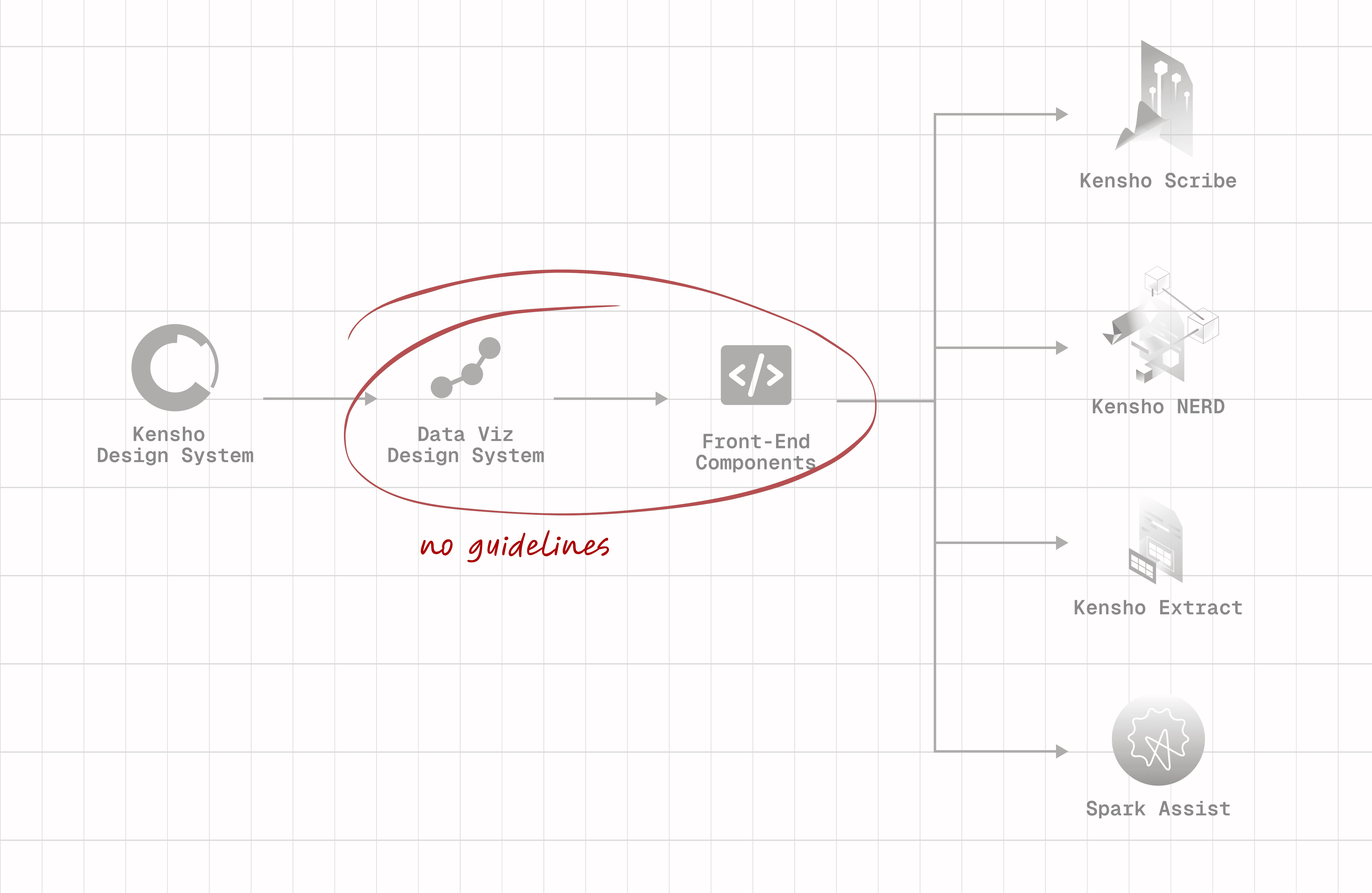
However, the old design system was largely a blank slate, with very little established foundation. Engineers were being forced to make ad-hoc decisions, which wasted time and created friction between design and engineering.
SOLUTION
A robust design system that guides front-end engineers on making quick design decisions for data visualizations.
PROCESS BEGINS HERE
Having never created a design system before, let alone such a complex one, I started off by exploring 3 things:
1/ How design systems fit into Kensho's workflow
2/ Best practices for data visualization design
3/ Effectively communicating through a design system
RESEARCH
Kensho's workflow for GTM products does not involve the design team directly. Front-end engineers simply take existing assets and scrap something together to serve as a demo for clients. So, a data viz design system's main audience is front-end engineers who are building things on the fly.
The best design systems have a balance of direction and flexibility, and provide guidance to designers for tackling for various situations.
Kensho was going through a rebrand, so I was advised to tackle color first for this project.
Color is exceptionally important in data visualizations since charts are complex, and most colors live directly adjacent to each other
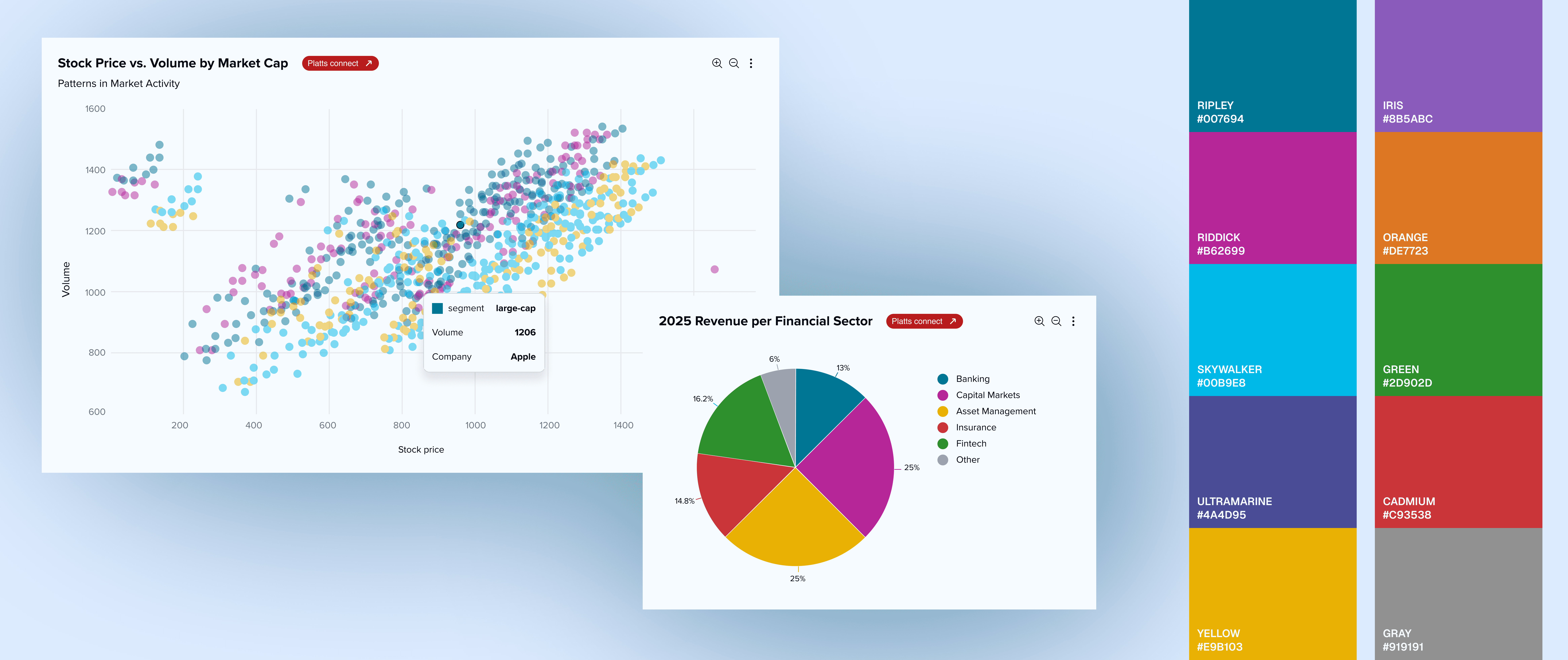
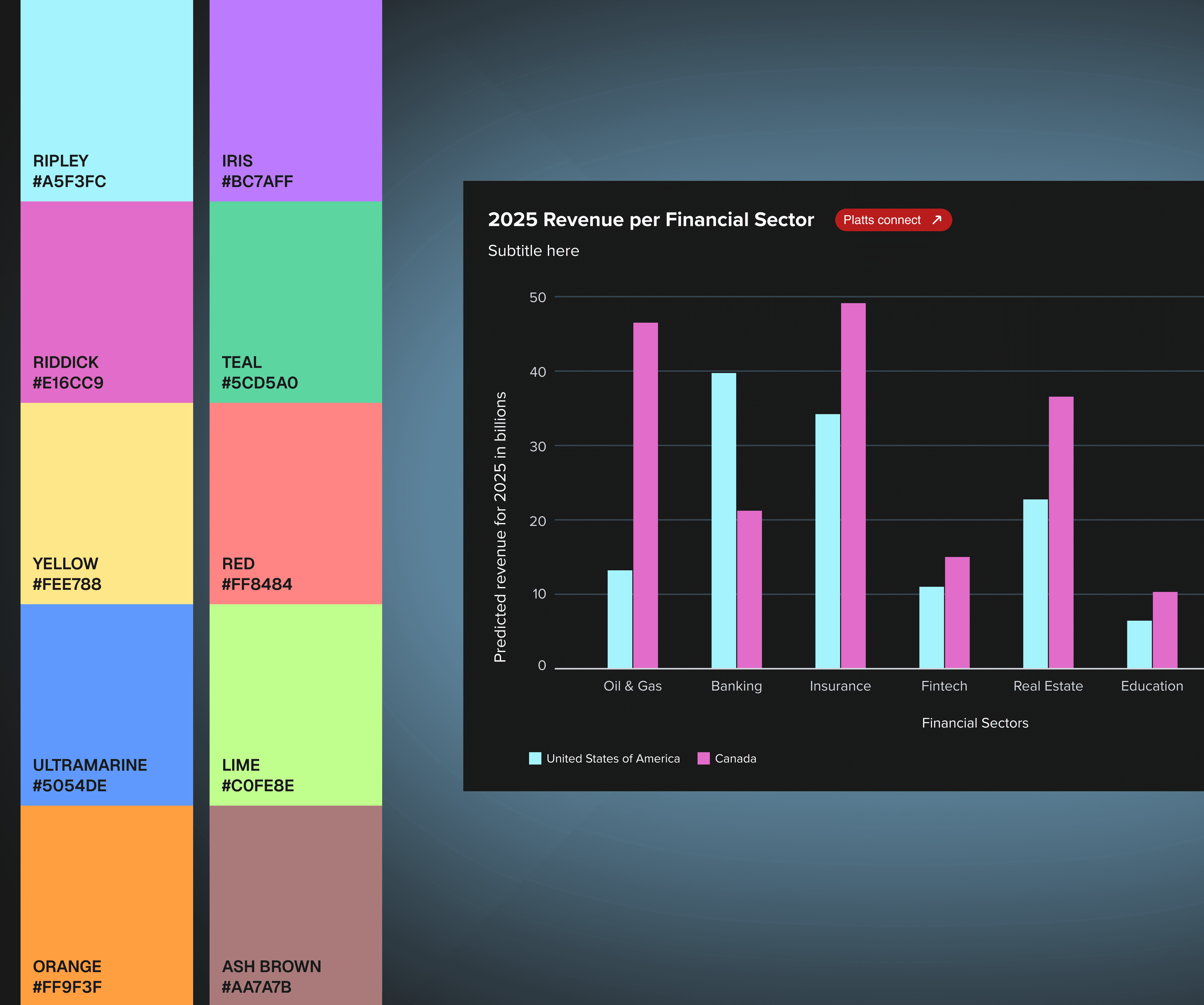
COLORWAY
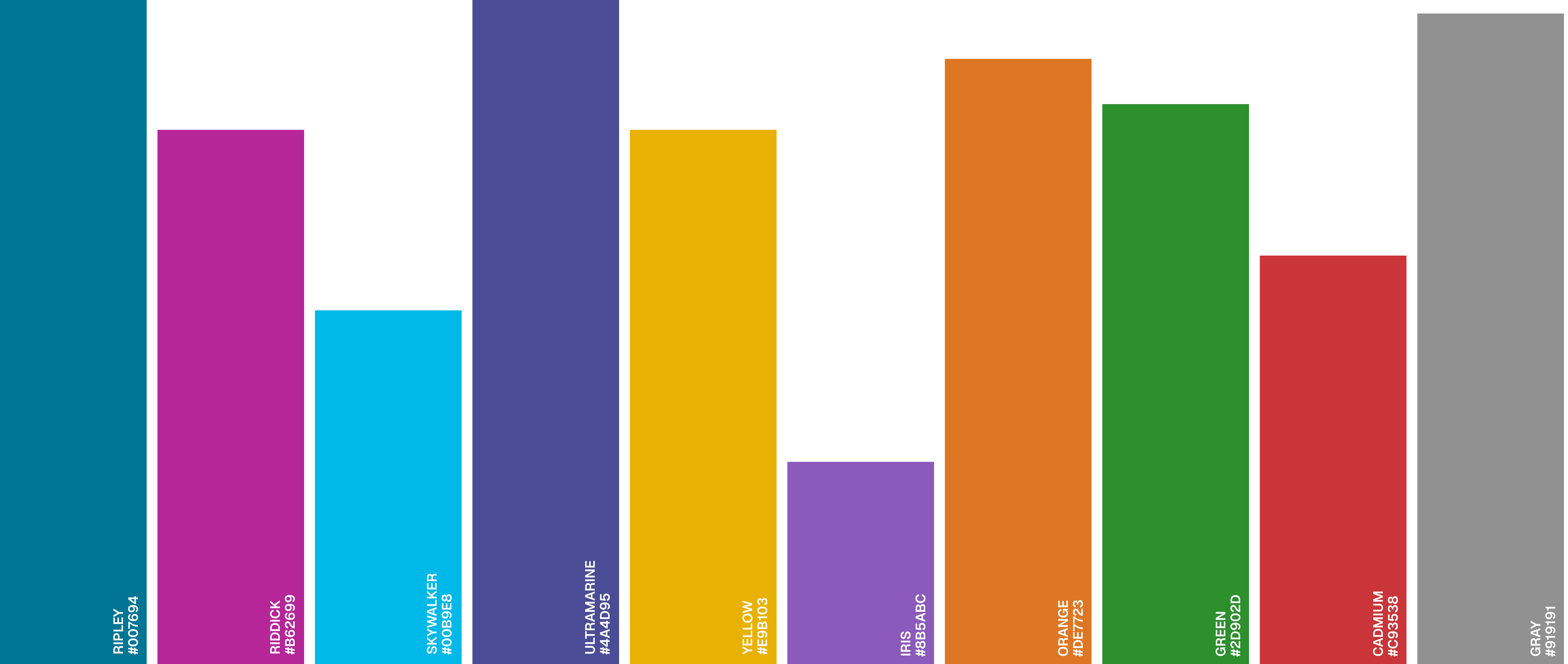
Both palettes are sequential, the first for discrete variables, and the second for continuous ones.
The first palette was challenging to create, since I had to account for the usual case, when there are <3 variables on the chart, which we wanted to align with Kensho branding. The exceptional case, where there are >3 variables on the chart, still had to align with the color scheme, but was more flexible and open to other colors.
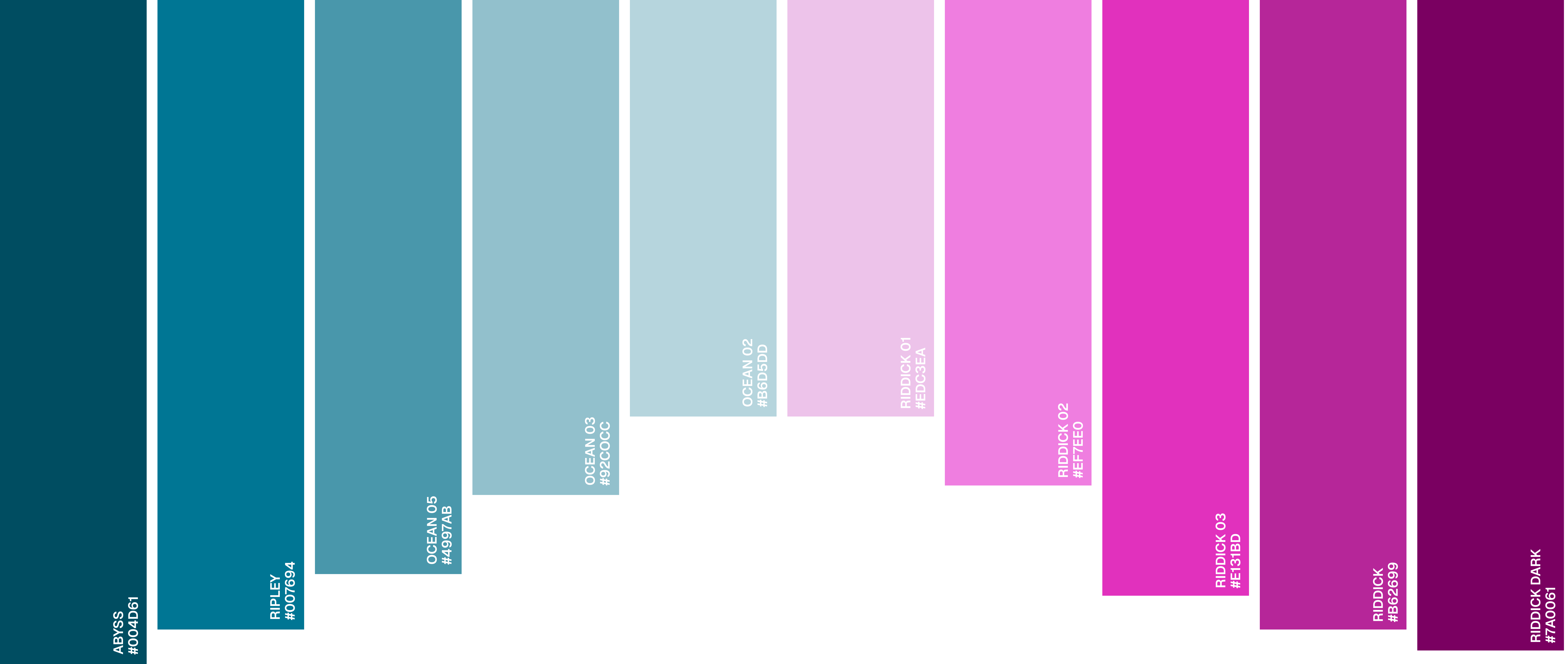
With some solid ideas of the color scheme (and sending it off to branding), I moved on to create my first chart.

CHALLENGES
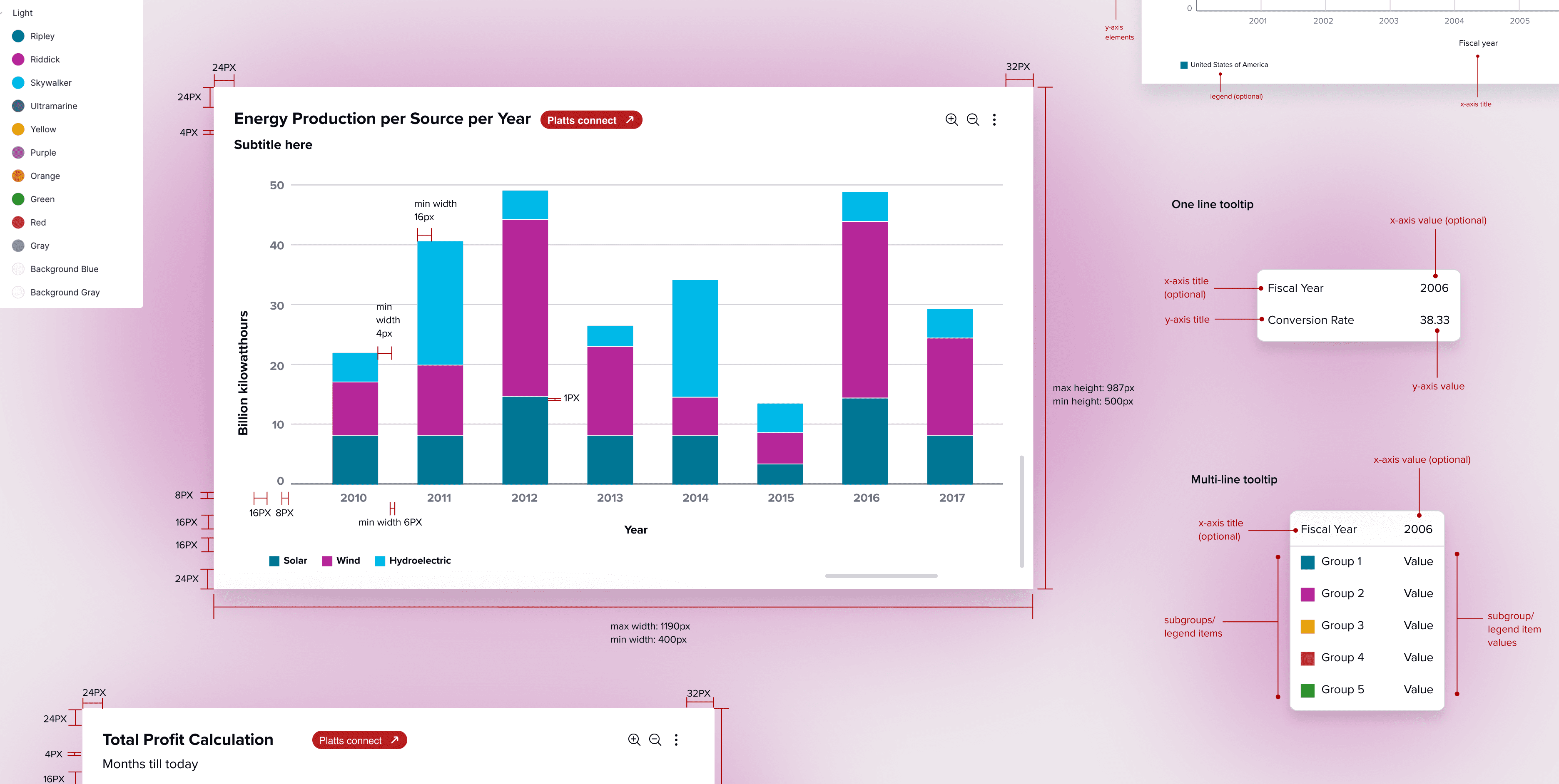
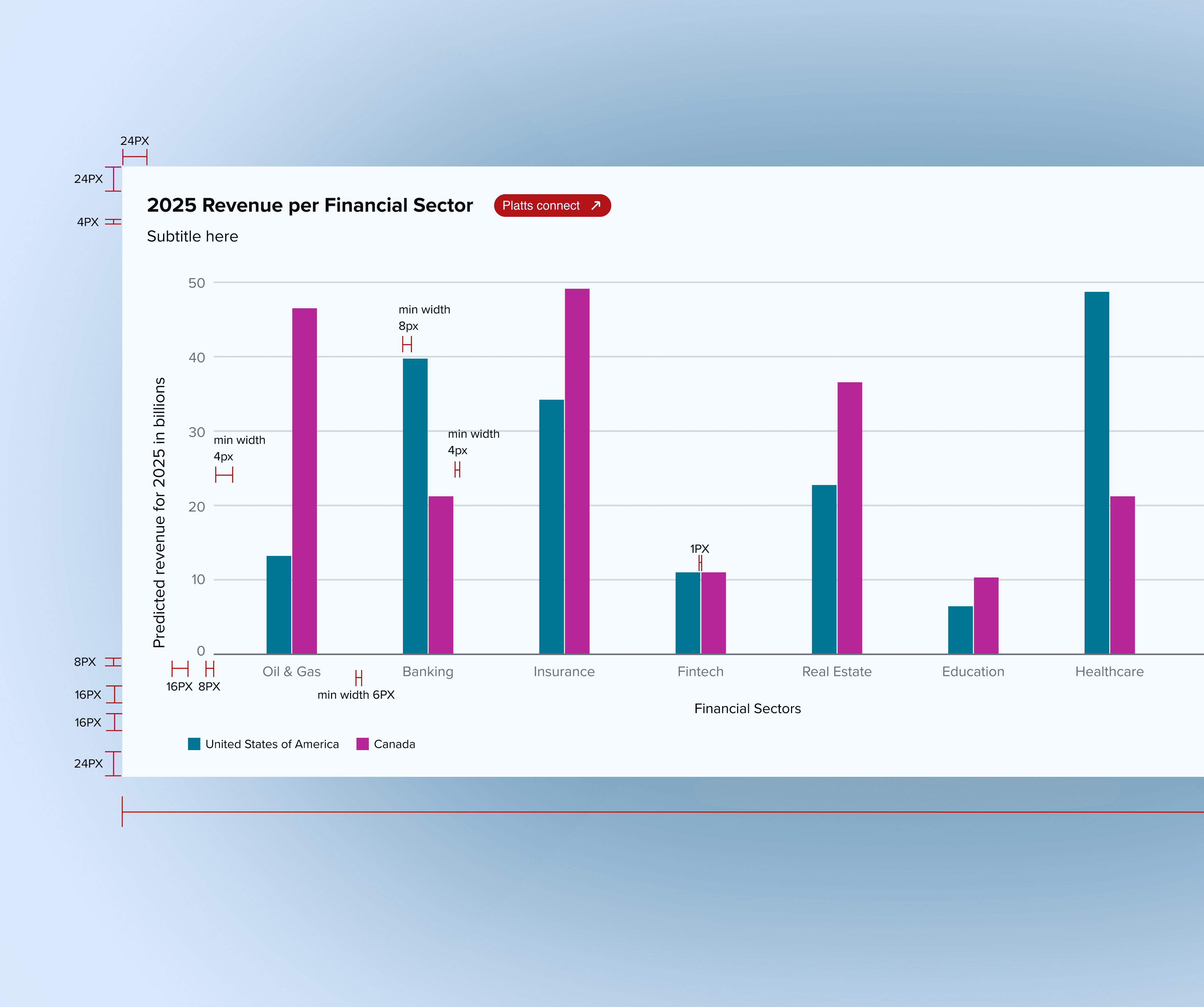
This was a very quick review of creating my first chart and making several decisions on the way. In reality, this process involved much more iteration than what you see on the screen above. I had to think about every single graph line and it's purpose, all the ways axes could be represented.
I struggled to make decisions at the start since it felt like there was so much ambiguity, but realised that just doing it and tweaking later is the best approach for this design system.
Now, we had the ideal chart idea. However, charts vary significantly across contexts - variables, axes, etc.
The design system had to account for chart variants, chart accessories, and varied situations a chart could be placed in.
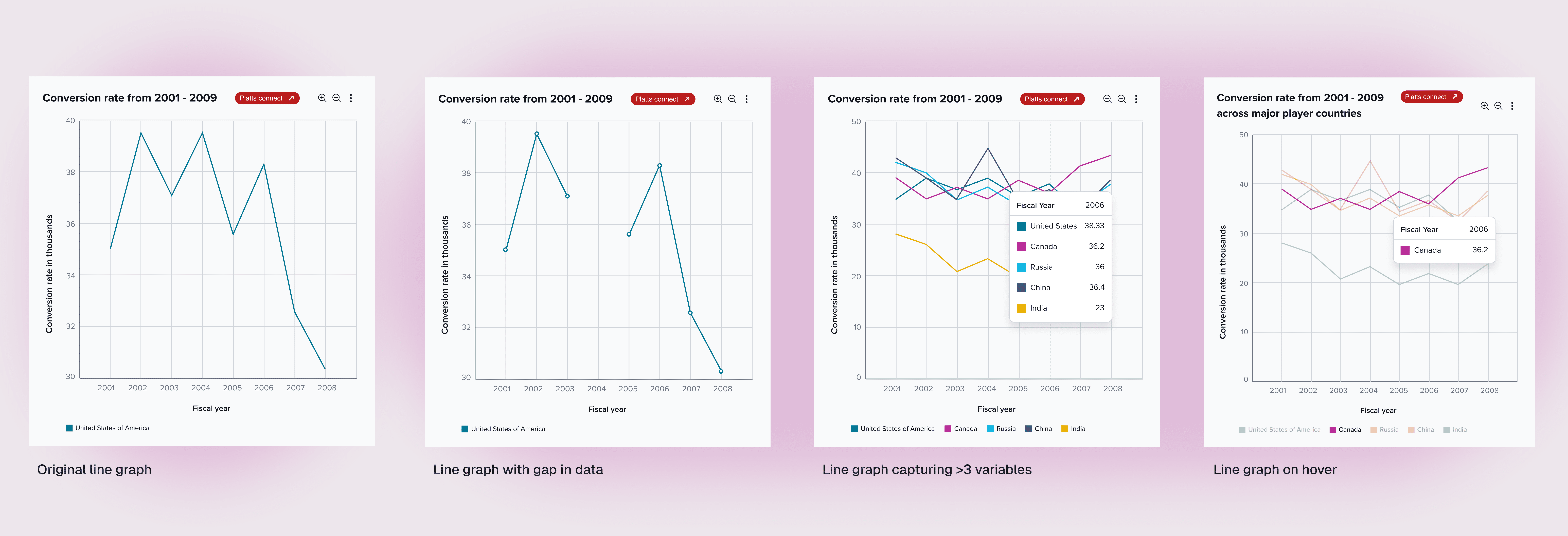
CHART VARIANTS
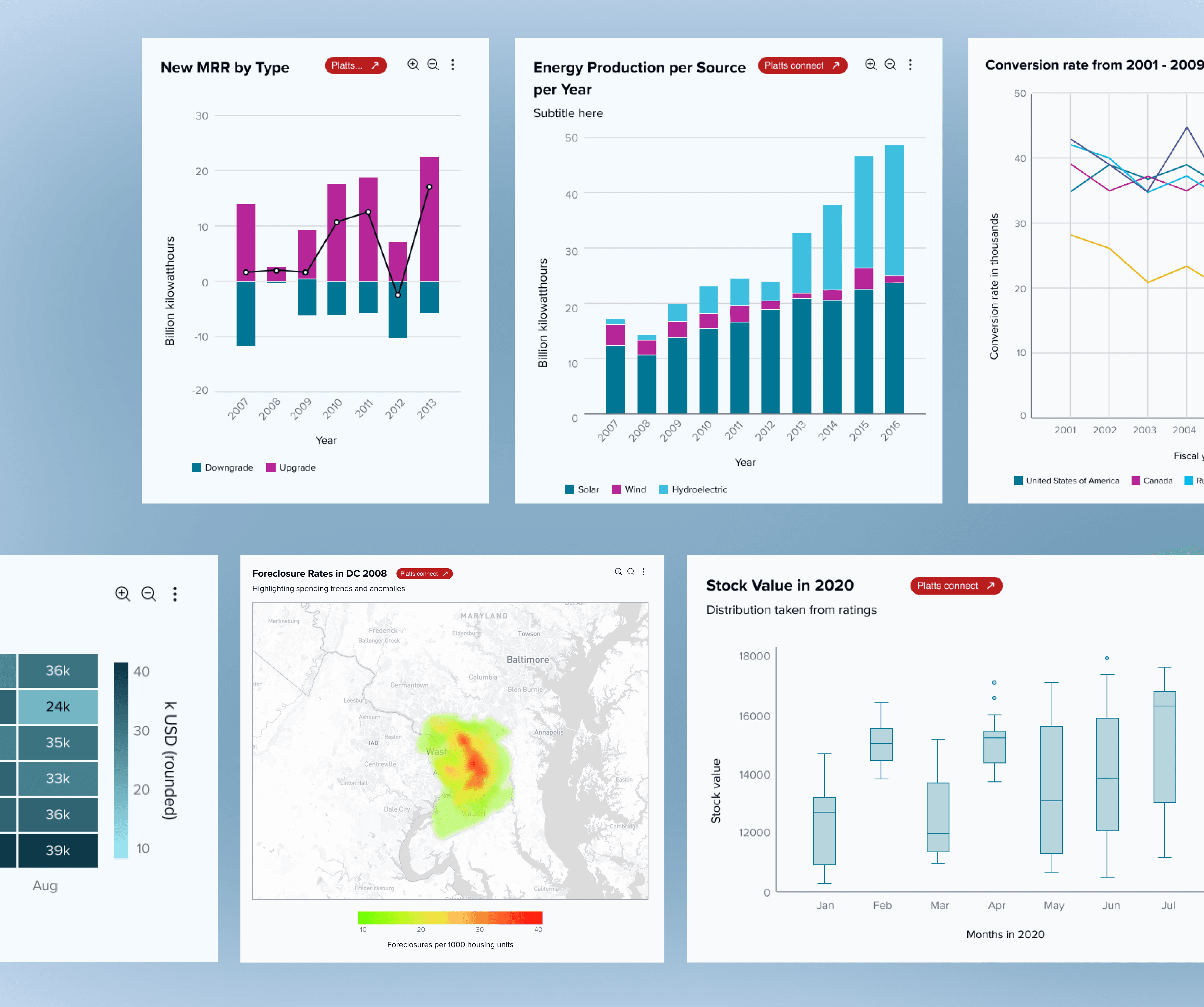
The design system had to account for various use cases for each chart type.
For example, what does a line graph with a gap in the data look like? What happens when there are many variables represented in a small area? How can we make the chart readable?
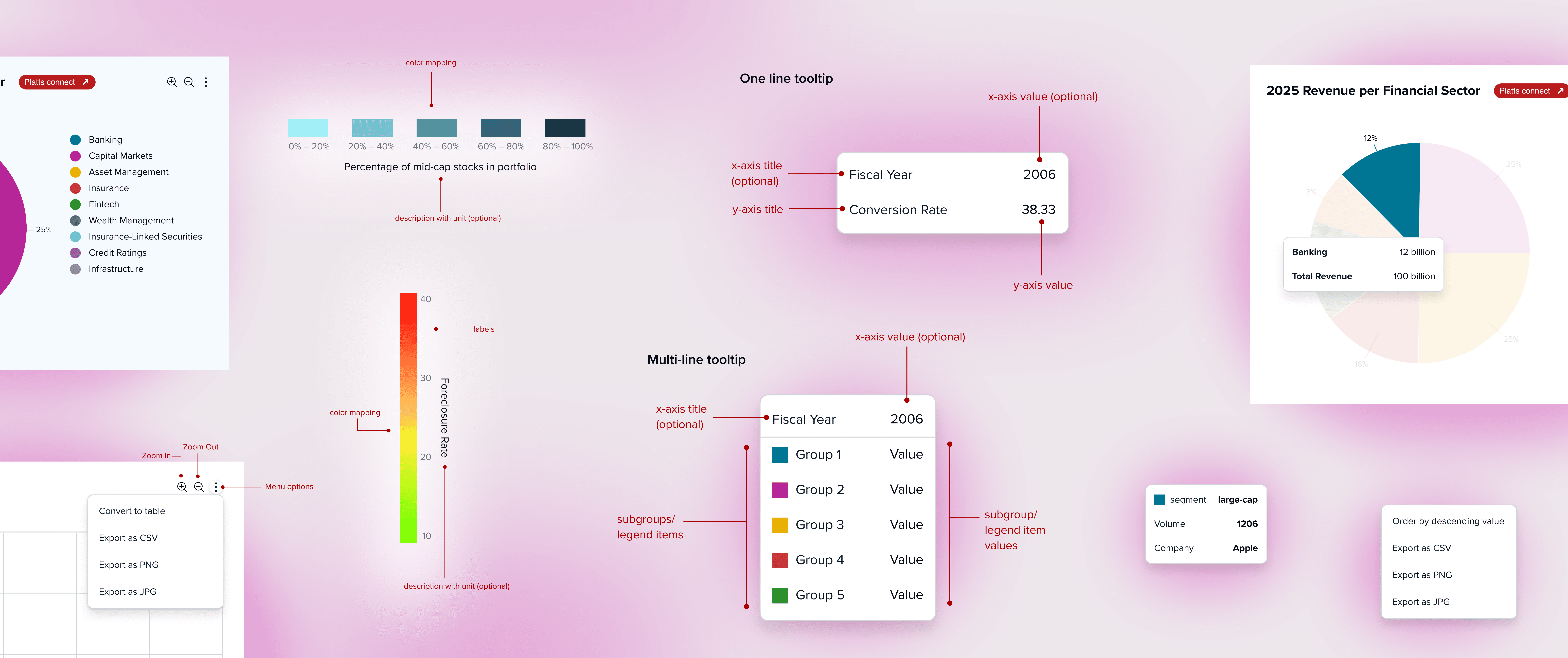
ACCESSORIES
Legends, tooltips, hover states, and other smaller elements of charts had to be carefully thought out depending on which graph they were related to. For example, it only makes sense to "Order by descending value" for a bar graph, not a line graph.
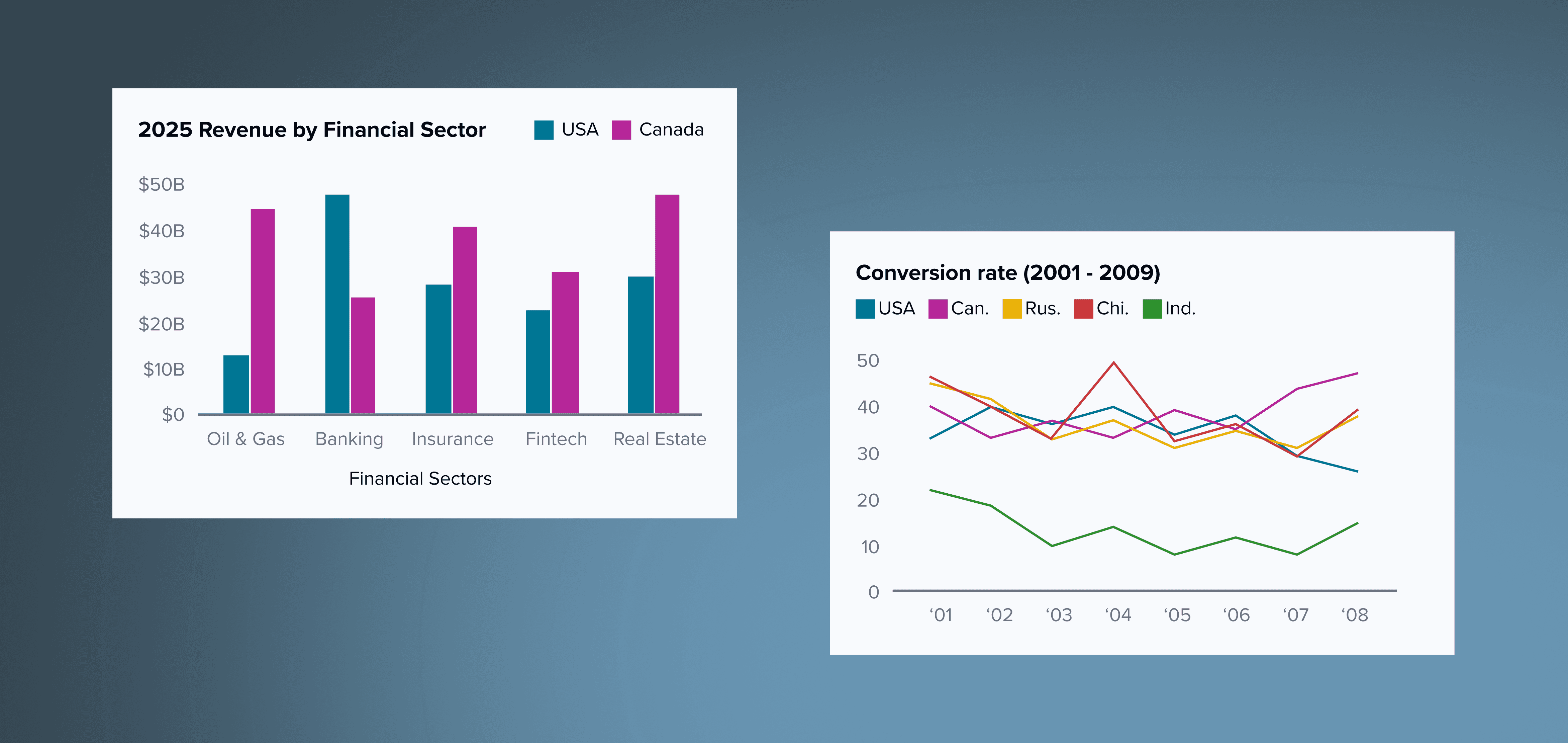
ADDITIONAL SITUATIONS
What systems are housing the visualizations? What is the sizing and color scheme of the systems? Thumbnail versions of graphs and a dark color scheme was created to account for these edge cases.
Documentation was exceptionally important to get right, to make sure the design system was readable and implementable.
Front-end engineers needed instructions that were flexible, applicable to many situations. But, instructions also had to give strong direction to engineers on how to make design decisions, to reduce the time spent on creating each visualization.
WRITING DOCS
Documentation used the verbs "try" and "might" to make sure engineers realise that at the end of the day, their judgement in a situation was the most important. Additionally, I showcased various situations through Dos and Donts to make the system visually understandable.
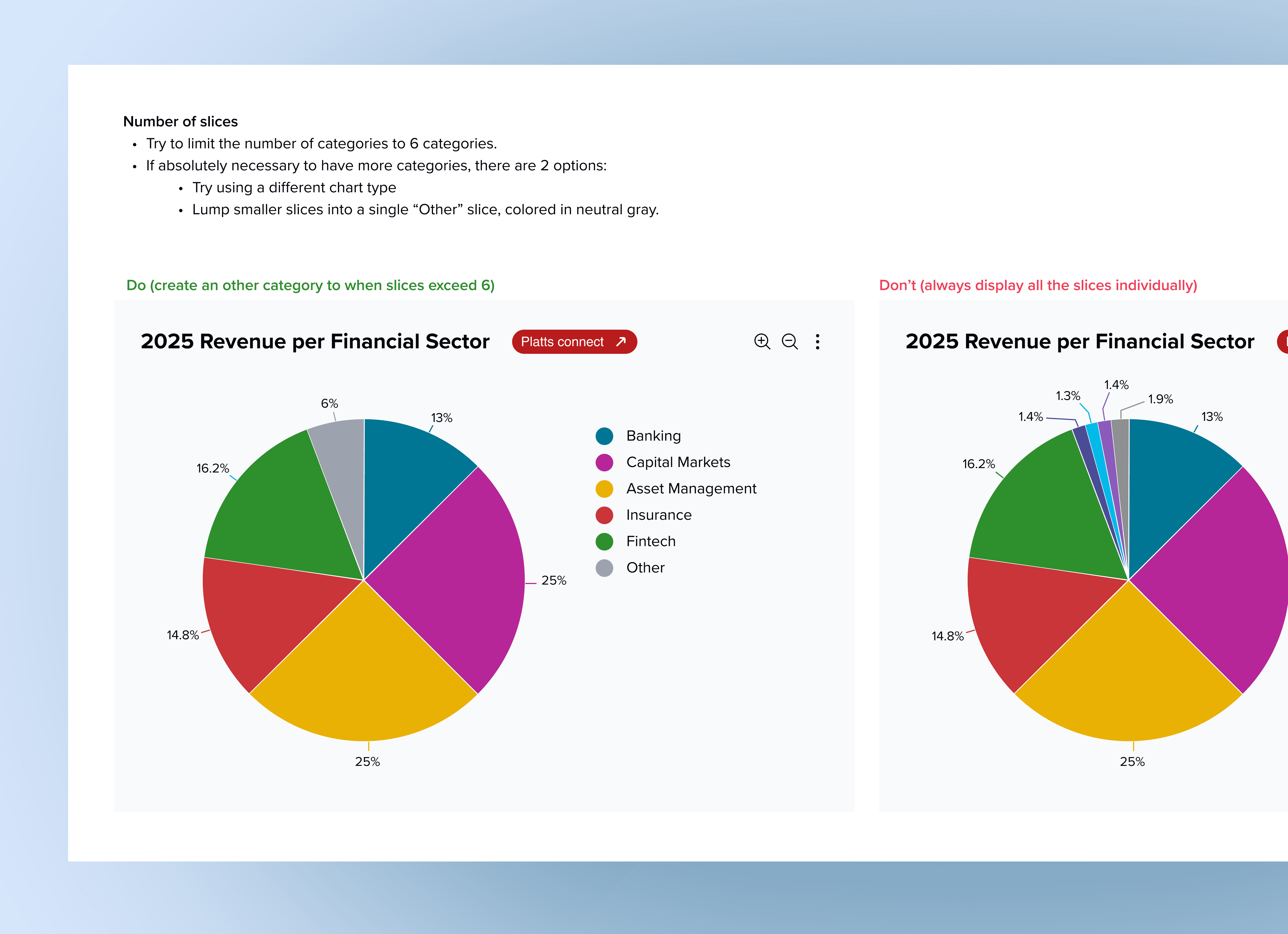
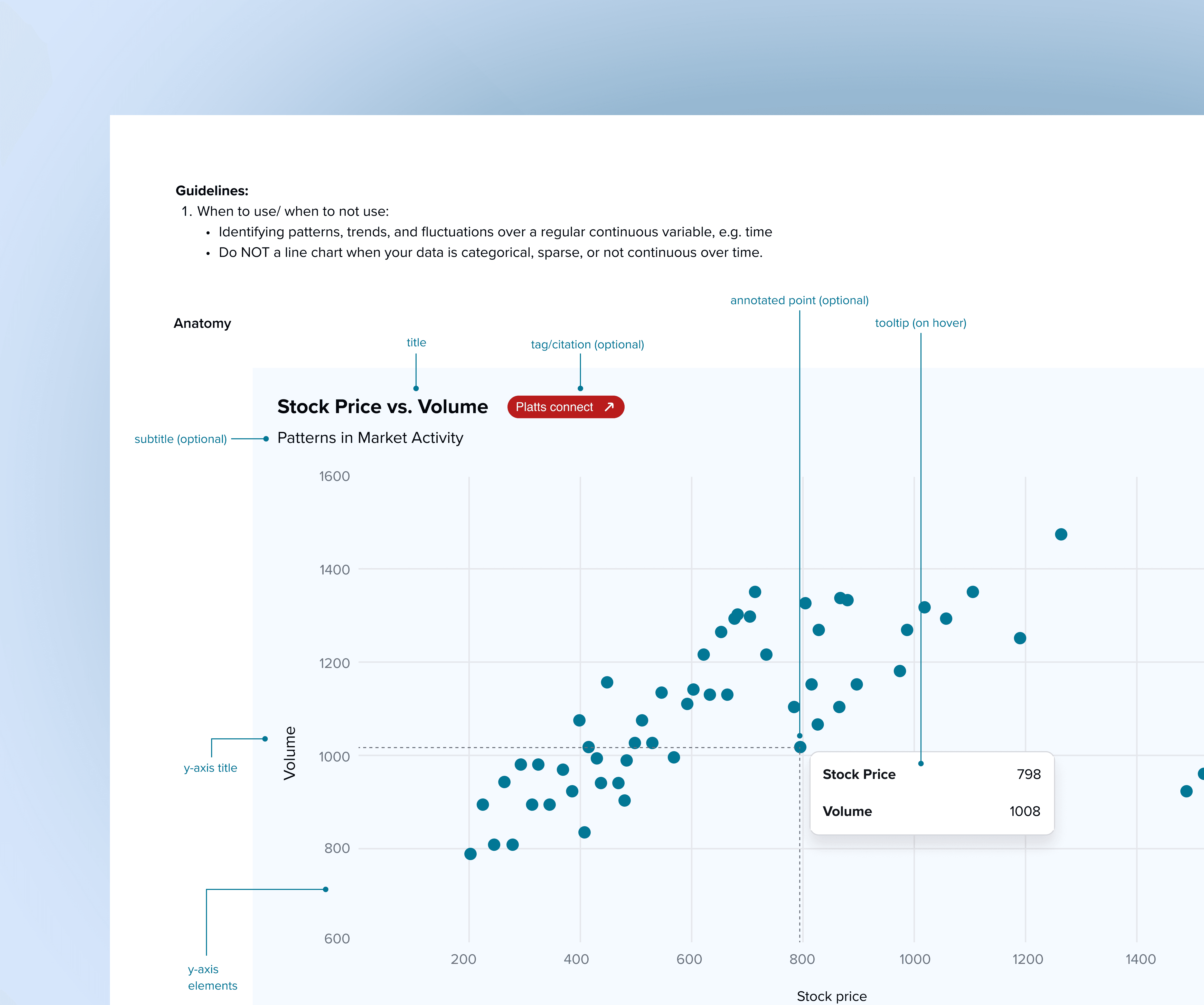
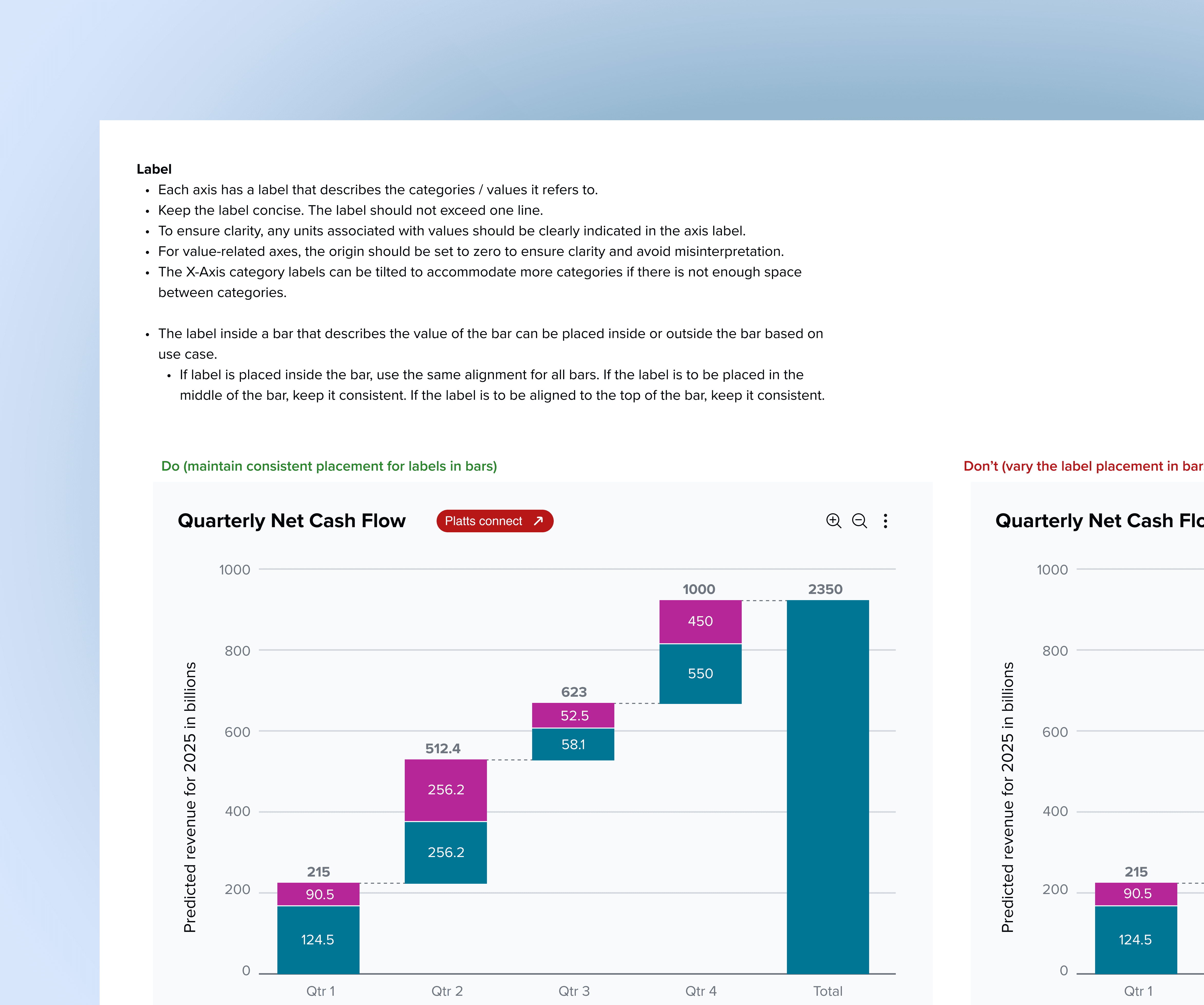
Finally, I collated a repository of graphs and variants that could be used as a useful template and guide in various situations.